

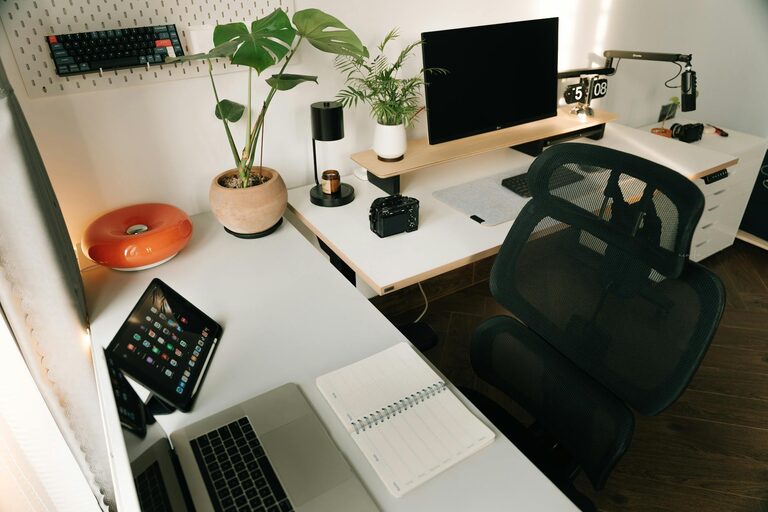
Working from home has become increasingly common, and having a well-organized workspace is essential to staying productive and comfortable. A cluttered or poorly planned area can distract you, reduce focus, and even lead to physical discomfort. This guide offers practical tips for setting up a home workspace that fosters productivity while maintaining a balance between comfort and functionality.
Choose the Right Location
Consider Natural Light and Noise Levels
Select a spot in your home that gets good natural light, as it can boost your mood and energy. Avoid places with constant noise or distractions, such as near the TV or in a busy hallway. A quiet corner or spare room often works best.
Space and Ergonomics Matter
Ensure you have enough room for your desk, chair, and any equipment you use regularly. You want to be able to stretch, move around, and maintain good posture without feeling cramped.
Invest in Comfortable Furniture
Ergonomic Chair and Desk
Choose a chair that supports your lower back and allows your feet to rest flat on the floor. An adjustable desk or sit-stand desk can add flexibility and prevent fatigue.
Desk Surface and Storage
Your desk should be large enough to hold your computer, notebooks, and other essentials without being cluttered. Incorporate storage options like drawers or shelves to keep items organized and within reach.
Declutter and Organize
Keep Only What You Need
Remove unnecessary items that can distract you or take up space. Keep your most-used items within arm’s reach, and store less frequently used tools elsewhere.
Use Organizers and Labels
Drawer organizers, desk trays, and labeled bins help keep small items tidy and easy to find. This reduces time spent searching and keeps your workspace neat.
Set Up Your Technology Strategically
Arrange Your Equipment Properly
Place your computer screen at eye level to reduce neck strain, and keep your keyboard and mouse comfortable to use. Consider cable organizers to prevent tangled cords.
Reliable Internet and Accessories
Make sure your internet connection is strong and stable. Invest in essential accessories like a good-quality headset or external keyboard for better comfort during long work sessions.
Personalize Without Cluttering
Add Inspiring Decor
Incorporate a few personal touches such as photos, plants, or artwork that motivate and uplift you. These items should enhance your space without causing distractions.
Maintain a Clean and Fresh Environment
Regularly clean your workspace to keep it inviting. A fresh-smelling, tidy room can encourage you to stay focused and productive.
Establish Work Habits and Boundaries
Create a Daily Routine
Set consistent work hours and breaks to structure your day. Use timers or apps to remind yourself to stand, stretch, or take short breaks.
Keep Work and Personal Life Separate
If possible, dedicate your workspace solely to work activities. This helps create a mental boundary and reduces the temptation to mix leisure with work.
Utilize Productivity Tools
Task Lists and Calendars
Use digital or physical planners to stay on top of your deadlines and goals. Breaking tasks into smaller steps can make projects feel more manageable.
Minimize Distractions
Turn off non-essential notifications and consider noise-canceling headphones if household sounds are disruptive.
Regularly Reassess Your Setup
Adapt as Needed
Your needs may change over time, so periodically review your workspace. Adjust lighting, layout, or tools if something isn’t working well.
Seek Feedback
If others use or see your workspace, ask for suggestions that could improve comfort or efficiency.
—
Creating a productive home workspace is about balancing comfort, organization, and functionality. With thoughtful planning and consistent habits, your home office can become a place where you enjoy working and achieve your best results.